


*Presenta Ltd.* ProductsSupportSearch
HomeNewsDownloadsAdvertiseContact Us   English  Japanese  Traditional Chinese  Simplified Chinese  Turkish  Deutsch  Polish 
Italiano  Français  Russian  Hungarian  Español  Portuguese (Brazil) 


Download
iGetter

Shareware
info

iGetter Forums

iGetter FAQ's

Version History

iGetter mailing
news

FileAvenue

Web Store


Look ahead for better downloading from the Internet. iGetter Download Manager.

Key Features:

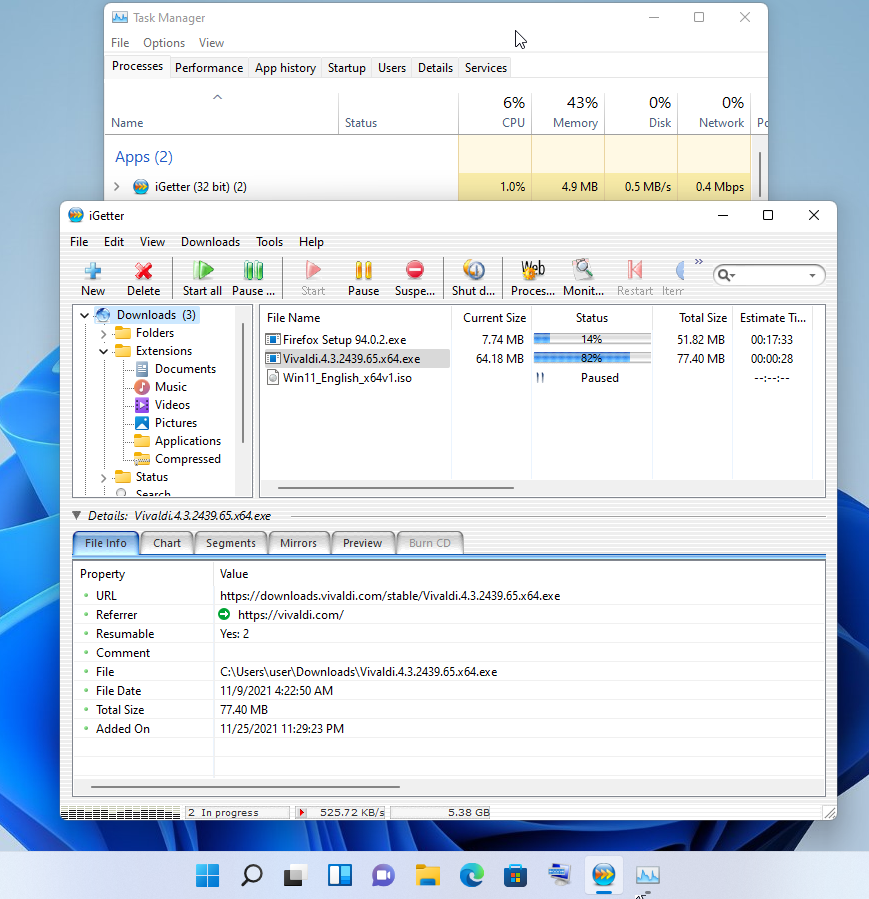
  • iGetter resumes broken downloads, checking date and size.
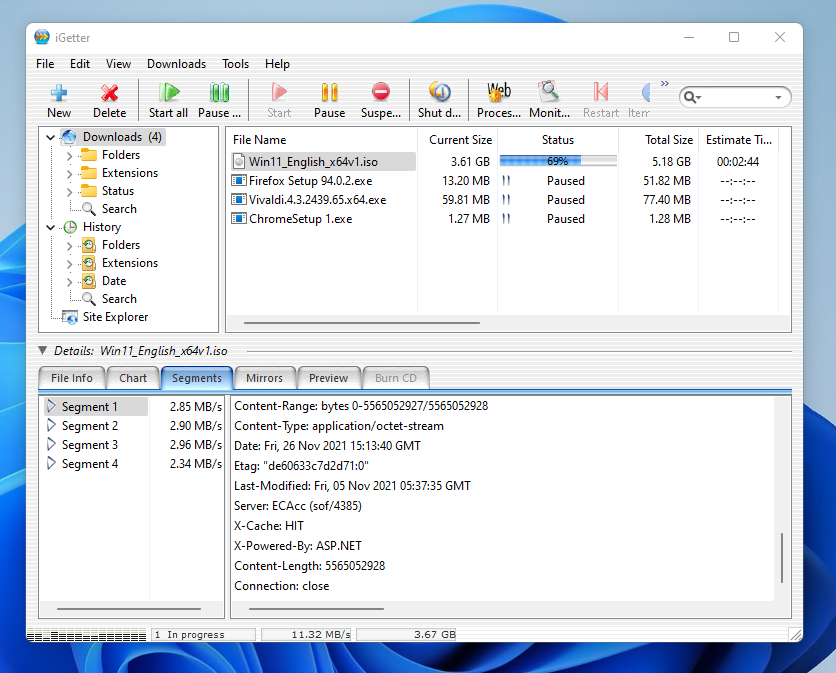
  • iGetter supports Segmented (Accelerated) downloading. This basic feature of iGetter can greatly improve the speed of your downloads.
  • iGetter supports HTTP and FTP protocols as well as HTTPS and FTP over SSL implicitly and explicitly.
  • iGetter integrates with the FileAvenue.net web service. This feature allows the latest and most popular files of the FileAvenue.net downloads library to appear directly in iGetter.
  • iGetter supports searching of file mirrors for additional acceleration of downloads.
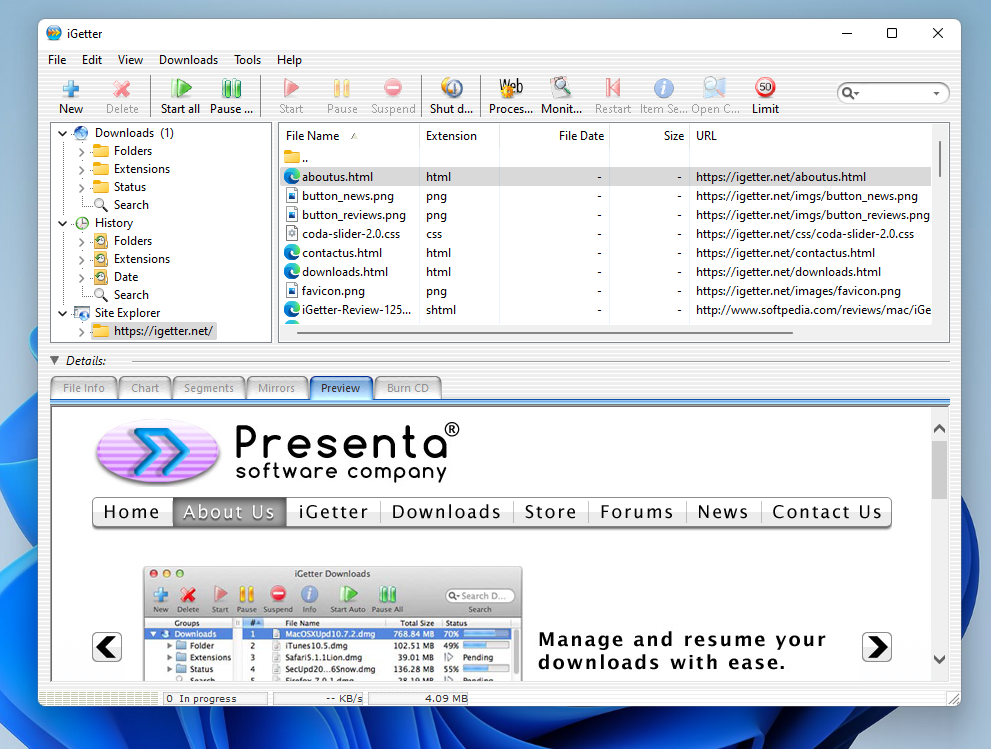
  • iGetter includes a Site Explorer that allows exploration of entire web or FTP sites, so you can easily find and download files you're interested in. When the Site Explorer is used iGetter displays the web contents rendered in a separate view below the site tree. This makes the process of exploration very convenient as you see the web page directly in iGetter as you would with a web browser. When you reach the file or files you're interested in downloading, you can easily add them to the iGetter queue. To use the web content view feature with the Mac version you must install Safari 1.0 or later.
  • iGetter includes a Site Manager that allows limitation of the overall number of connections for particular servers.
  • iGetter analyzes every server response to prevent from damage to your file downloads.
  • iGetter integrates with Internet Explorer, Firefox (Win), Safari (Mac), Camino 1.x (Mac), and iCab (Mac) via a contextual menu for hyperlinks.
  • iGetter integrates with Safari (Mac), Camino (Mac), OmniWeb (Mac), Internet Explorer (Mac/Win), Firefox (Mac/Win), Netscape (Mac/Win), SeaMonkey/Mozilla (Mac/Win) and Opera (Win), by monitoring clicks of hyperlinks.
  • iGetter supports the drag and drop technology and with its Target Icon you can easily download any dragable link or file with Internet location.
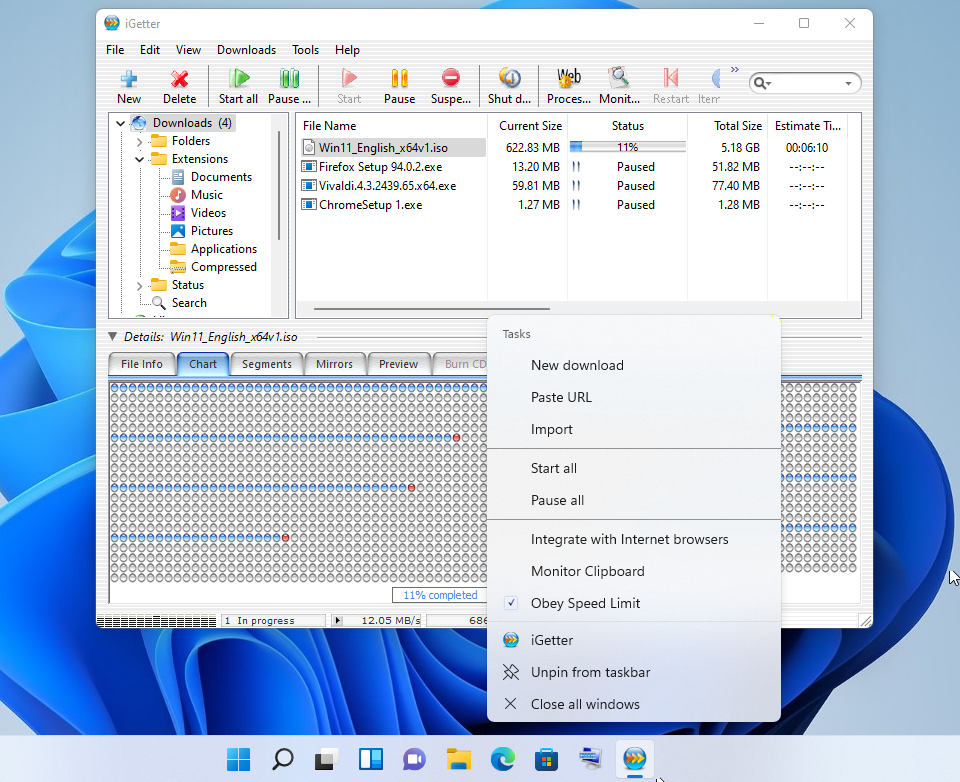
  • iGetter supports monitoring of your clipboard for Internet addresses.
  • iGetter can process all web page links for downloading in the queue.
  • iGetter allows you to preview the contents of 'zip' compressed files before to download them.
  • By integration with QuickTime technology iGetter allows the previewing of all finished video, audio and other QuickTime readable downloads (Macromedia Flash, PDF, etc.) directly in the application. In addition, iGetter shows all of the available file media information. (Mac version only).
  • iGetter lets you organize your file downloads, and automatically downloads them.
  • iGetter includes three types of queue filters that automatically show downloads in accordance with various criteria.
  • iGetter includes a history list for all finished downloads.
  • iGetter includes search function with an option to search the queue, history list or FileAvenue downloads library.
  • With iGetter you can easily control every download job. You can start, pause or let iGetter automatically download your files.
  • With the iGetter Dock/Tray Icon control menu, you can easily control iGetter while it is hidden.
  • iGetter includes Metallic interface with an option to switch between Aqua and Metallic interfaces (Mac version only).
  • Its user-friendly interface offers you convenience and ease-of-use as you begin to download with iGetter.
  • iGetter autodetects your connection to the Internet. It can automatically reconnect a modem connection until all pending downloads are done.
  • iGetter can schedule your downloads for low traffic periods (i.e. 4 in the morning).
  • iGetter can Hang Up the modem connection and Shut down the computer when all files in the queue are finished.
  • iGetter lets you use a virus scanner program that you have on your computer to auto-scan downloaded files.
  • iGetter has a Speed Limit function which allows you to download files and still use your web browser without loss of performance.
  • iGetter supports HTTP, Tunnel and FTP Proxies, and Socks Firewalls (4, 4a, 5).
  • iGetter has a fully preemptive multitasking engine using native Mac OS X/Windows pthreads, which increases the performance of the application especially on multiprocessor systems.
  • CD Burning - this feature allows you to burn completed downloads on a CD-R/W directly in iGetter. Function keeps track of all CD numbers, so you can easily find on which CD you have burned a particular download. (Requires Windows XP or above)
  • iGetter supports standard URL suite for AppleScript and is fully scriptable (Mac version only).
  • iGetter is developed using C/C++ with Metrowerks (Mac version) and Microsoft Visual C++ .NET (Windows version), which has resulted in an efficient, and responsive program.

Shareware info about iGetter:

    You may evaluate iGetter for as long as it is needed to decide if it suits your needs and if you want to purchase it. iGetter will show a shareware reminder dialog at every startup during this evaluation period. Registering iGetter will give us the opportunity to continue the development of iGetter. All registered users will receive free support by email and will get free upgrades in the major 2.x versions*.

    The registration fee for iGetter is $25 US.

    For your convenience and protection, our e-commerce partner, eSellerate, allows integrated payment via a SECURE SERVER by credit card. (All major credit cards are accepted - Visa, Master Card, Discover, American Express and JCB).
    To purchase a License other than a Single License such as a Home & Work License or Site License, please visit our Web Store.

    * - Customers that purchased iGetter since June 1, 2003 receive a free upgrade to iGetter v2. For those that purchased iGetter prior to this date, a paid upgrade is available on our Web Store.


System Requirements:

 Mac OS X
10.2.x/10.3.x/10.4.x/10.5.x/10.6.x
Intel- or PowerPC-based Mac


 Windows
98/ME/NT/2000/2003/XP/Vista/7
PC computer


Awards


iGetter Softonic Rating


ASCII Corporation Japan -Coolest Mac Shareware 2004

Maczine.it - 5 out of 5


Calshop.biz - 5 out of 5
    

TheMacMind.com - 4 out of 5 MacHeads

Tucows.com - 4 out of 5


What people say

"Presenta Software's
iGetter is a good app for keeping download speeds at a reasonable
level. Easy to use out of the package and highly customizable, iGetter
has solved my needs since I started looking for an app like this two
years ago."
- Duane Letourneau
Smalldog.com
Tech Tails newsletter


"...iGetter is a very powerful download program, an area in which many web browsers lack. You may notice, you can't "Pause" downloads in Safari - and if IE crashes, you are out of luck reloading your download 50% of the time.

That's where iGetter comes in.

In the year I have used it, iGetter has performed flawlessly. And I download a TON of stuff, everything from Software Updates to random junk programs you see recommended by others...

To top it off, I give iGetter a solid 4 out of 5 macheads. It's a great program..."

MacHeads rating:
4 out of 5
- TheMacMind.com
Review


"...iGetter est un excellent gestionnaire de téléchargements."
- Sébastien Pennec
Cuk.ch Review


"...Il software si è rivelato semplice da utilizzare e completo in tutte le sue funzionalità."
- Tiscali.it
Review


"This app has changed my downloading habits like nothing before. I download and download and download and download..."
- A VersionTracker.com
Reviewer


"iGetter performs well with my cable modem. It does a good job at optimizing available bandwidth during downloading! A very fine product! "
- A VersionTracker.com
Reviewer


"Nice replacement for IE's download manager. Easy to use. "
- A VersionTracker.com
Reviewer


"This utility works flawlessly... I first used it to download Mac OS update 9.1 which (if memory serves me) was a 90 MB download. With my 56k dialup, I just set iGetter to work one evening, went to bed and got up in the morning to find my download in my downloads folder. What could be easier?"
- A VersionTracker.com
Reviewer


"After Monica stopped working correctly on my Mac, I spent some time searching for a new download utility. I found iGetter and have been using it for all my downloads since. It's fast, stable, and the web browser integration is great! Also has clipboard monitoring (which I turned off, but it could be very usefull)."
- A VersionTracker.com
Reviewer


"Finally a download manager that actually works! And on OS X! I downloaded a 145 mb file over a 56k modem. I had to stop the download 3 times and it picked up right where it left off. This thing is a GOD SEND!"
- A MacUpdate.com
Reviewer


"iGetter is a little gem of a program solves one of the most frustrating problems for those of us who are not able, or don't wish to go, broadband. Our worst fears are spending several hours downloading, only for the connection to drop before the download is completed.
iGetter solves all these problems by providing: auto resume broken download, auto redial on broken connection, auto hang-up on completion and shutdown if wanted. So, you can start your download and go to bed in the knowledge that your download will be completed in the morning, and you won't have spent a minute more online than necessary."
- Rohan Barnett
Star Letter of 09'02
issue of MacWorld UK


October, 2004 - MacWorld (Turkey) reviewed iGetter v2.0 and gave it 4.5 mice!


ASCII Corporation Japan ranked iGetter as a coolest Mac OS X shareware software for 2004. At June 18, 2004 they published a book named "Coolest Mac Shareware 2004". This book includes an in-depth review as well as tips article of iGetter.


The following sites recommend using of iGetter as a download utility for their software:
PDFStore.com, Adobe.com, PlanetPDF.com,
EgiSys.de


Download iGetter and see for yourself what a difference it can make when you download from the Internet.


| Home | News | Downloads | Advertise | Products | Services |

| iGetter | Forums | Support | Search | Privacy |

The Apple logo and Macintosh are trademarks of Apple Computer, Inc.,
registered in the U.S. and other countries.
Microsoft, Windows, and the Windows logo are trademarks, or registered trademarks
of Microsoft Corporation in the United States and other countries.

© 2001-2009 Presenta Ltd. All rights reserved.

Send mail to with questions or comments about this web site.
Last modified: December 02, 2009